Stop building
Manufacturing
Data Books
in Word & Excel.

Build your MDB structure from an ITP with AI, collect supplier documents and prepare it for client review.

Now liveStart building your MDB today.
LAUNCH OFFERTHROUGH 17 OCT 2026

50% fewer credits per action. All plans, including Free.

Plus 500 bonus starter credits for eligible new company accounts.

View benefits

Free account·No credit card·No obligation

FIG. 01 / THE DELIVERABLE

Illustrative sample · Fictional project data

“We started completely blank, without any explanation, and had a data book for a running project set up and filled with real documents in the first session.

Compiling the data book throughout the project, instead of only at the end, allows us to close the project as soon as possible after delivery of the goods.”

USER EXPERIENCE

Royal Dahlman

Jaap-Adriaan Jongekrijg

General Manager

NEW AI-ASSISTED ITP IMPORT

Your inspection plan.
A structured starting point.

Turn the deliverables in your ITP into a proposed MDB structure. Check the chapters against the source, then load the structure into your MDB.

AI proposes. You decide.
Shell-and-tube heat exchanger8-page ITP · 48 inspection activities · Rev. C
ILLUSTRATIVE EXAMPLE · NO LIVE AI PROCESSING

Generate the MDB structure with AI

Review the proposal next to your ITP, then load it into your MDB editor.

01 / YOUR SOURCE DOCUMENT

Start with your ITP

A detailed inspection plan.
The starting point for your MDB.

HX-26-014-ITP-001.pdf8 pages · 48 inspection activities
Shortened demonstration · no live AI processing
Your original ITPThe source stays beside the proposal,
so you can check every chapter.
HX-26-014-ITP-001.pdf
HEXAGONFABRICATION
HX-26-014-ITP-001
Rev. C · Demonstration copy

Inspection & Test Plan

Shell-and-tube heat exchanger · E-201
PROJECTProcess cooling expansion / Train BMANUFACTURERHexagon Fabrication (fictional)
PRODUCT / SCOPEOne heat exchanger assemblyPURCHASERNorth Quay Process (fictional)
01 / Engineering & preparation
Ref.ActivityReference / inputVerification basisDeliverablesMCT
1.1Agree the inspection sequenceITP-001 / purchase order PO-2614Client comments addressed; intervention points agreed before fabrication.Inspection & Test PlanPHR
1.2Check mechanical design packageCAL-201 / equipment data sheet DS-201Document the selected design basis and applicable load cases in the project calculation package.Design calculationsPRR
1.3Release equipment drawingsGA-201 / FAB-201 / nozzle schedule NS-201Drawing revisions consistent with the agreed configuration and interfaces.Fabrication drawings; assembly drawingsPRR
1.4Review welding readinessWPS register WR-201 / qualification register QR-201Procedure and personnel qualifications cover the planned joints and processes.WPS / PQR; welder qualificationsPRR
1.5Review examination methodsNDE plan NP-201 / personnel qualification registerMethods, examination extent and acceptance references defined for this project.NDE proceduresPRR
1.6Agree pressure-test arrangementsTest procedure PT-201 / instrument registerSeparate circuits, test sequence, calibrated instruments and safety controls addressed.Pressure test procedurePHR
M Manufacturer · C Client · T Third party
P Perform · H Hold · W Witness · R Review · S Surveillance

Fictional project and inspection assignments. Demonstration only; not an approved fabrication or inspection instruction. Exact acceptance criteria remain project-specific.
HX-26-014-ITP-001 / CPage 1 of 8
Source ITP · 8 pages

Demonstration: uploading the sample ITP.

Available on all plans, including Free.

Standard rate: 19 credits per successful ITP analysis. Chapter creation is charged separately after your confirmation.

50% lower credit usage on all plans through 17 October 2026. Review the charge shown in the app before confirming.

Start free
How we handle your ITP

ITP analysis uses Microsoft Azure OpenAI. Microsoft states that prompts and responses are not made available to OpenAI and are not used to train foundation models without permission.

Import details

Chapters can be edited afterwards. Re-import is possible only after all existing chapters have been removed. Check the proposal against all project and client documentation requirements.

No ITP? Start from a template →

Illustrative demo with fictional project data and a prepared example structure. No live AI processing.

Get more from every credit.

LAUNCH OFFER · THROUGH 17 NOV 2026

01 / LOWER CREDIT USAGE

Now 17 Sep–17 Oct

50% fewer credits

Per action · all plans, including Free

Then 18 Oct–17 Nov

50% fewer credits

Per action · paid plans only

Start free →

02 / EXTRA STARTER CREDITS

Plus 500 bonus credits.

On top of the standard free starter bundle for eligible new company accounts through 31 October 2026.

Combine your bonus credits with the lower launch credit usage.

Eligibility & details ↓

Prefer a little help getting started? Request an optional 30-minute setup session ↗

Eligibility & launch offer details

Lower credit usage: 50% fewer credits per credit-charged action on all plans from 17 September through 17 October 2026. From 18 October through 17 November 2026, paid plans use 50% fewer credits per action; Free plans use standard rates. The reduction applies to credit usage, not to subscription prices or credit purchases. Standard credit usage resumes on 18 November. Dates follow the Netherlands time zone. Review the credit charge shown in the app before confirming an action.

500 bonus starter credits: available through 31 October 2026, once per eligible new company domain, on top of the standard free starter bundle. No paid subscription is required. The bonus does not stack with the waitlist starter allocation. Both standard and bonus credits benefit from the launch usage reduction when your plan is eligible. The end of the promotional usage period does not itself remove unused bonus credits.

AI-ASSISTED PRODUCT ILLUSTRATIONS

Your product.
Illustrated for your MDB.

Start with a 2D drawing or product photo. Choose a 3D visual or a pencil sketch, then bring your product onto your MDB cover.

START WITH
CREATE WITH AI
Appearance

Illustrative finish; actual colours may differ. Try Clay render for a neutral white visual.

Upload your image

01

Start with what you have.A 2D engineering drawing or a product photo.

Generate your visual

02

3D visual. Material finish.A rendered look with depth, materials and shading.

Use it on your cover

03

Your product, on your MDB.A cover that belongs to your project.

Preview starts when it comes into view.

Illustrative demo with prepared example inputs, visuals and covers. Not a recorded app session; processing times are simulated. A 3D visual is an image, not an editable CAD model.

EP 01 · SEE HOW IT WORKS

DEFINITION

The MDB Builder is a web application that generates an editable Manufacturing Data Book structure from an ITP or template, assembles uploaded certificates and reports into a single bookmarked PDF, and lets your client review and approve the document online — replacing Word indexes, Excel trackers, folder structures, PDF mergers and WeTransfer chains in one tool.

Different names. One place for your documentation.

Organise your Manufacturing Data Book (MDB), Manufacturing Record Book (MRB), Vendor Data Book (VDB) or quality dossier with MDB Builder.

Explore MDB, MRB and documentation terminology
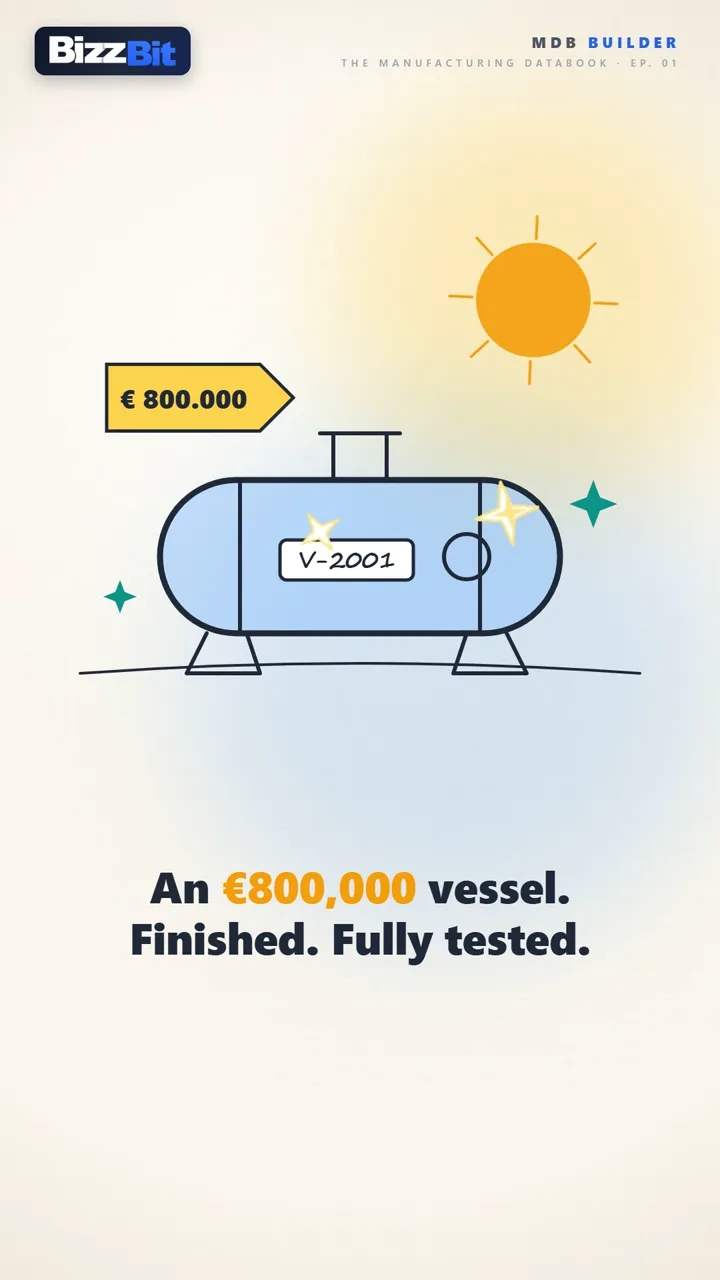
Still from EP 01 — The Manufacturing Databook: an €800,000 vessel, finished and fully testedEP 01 · 2:40

FILM-001 · EP 01 — SOUND ON · 2:40

SECTION 02 · THE PLATFORM

Four steps.
From scope to signed.

One platform that replaces Excel trackers, folder structures, PDF mergers, WeTransfer and email review chains — purpose-built for fabrication and engineering quality documentation.

MDB WORKSPACE
FIG. 02 · THE ACTUAL APP · EXPLORE THE WORKSPACE · PROJECT OVERVIEW · STYLE STUDIO
STEP 01

Structure

Start with your ITP. Or a template.

Import your ITP as a PDF and review the AI-proposed chapters alongside your source document. Or start from a template. Adjust the structure to your project, then confirm the chapter costs before saving.

  • ASME · PED · EN 1090 · NORSOK · API · DNV
  • 32+ chapters · 8 standard categories
  • Editable per project, reusable across projects
STEP 02

Compile

Upload, organize, and merge into one PDF.

Drag and drop certificates, weld records, NDT reports and inspection sheets into the right sections. The platform assembles a professional PDF with cover page, automatic table of contents, page numbers and bookmarks — server-side.

  • Drag-and-drop document upload
  • Auto-generated TOC & PDF bookmarks
  • Transmittal generation included
STEP 03

Connect

Bring your suppliers into the project — without lock-in.

Invite suppliers to fill the chapters they own. They get a secure link and a free account — set up in seconds via SSO or e-mail verification, no subscription needed — and a free workspace of their own, where the shared dossier stays available. They deliver, you monitor and approve in real time. When their suppliers also use MDB Builder, the project flows seamlessly through the entire chain.

  • Free account for every supplier · their own workspace, no subscription
  • Real-time delivery monitoring & approval
  • Cross-tenant: every link in the chain stays in sync
STEP 04

Review

Let your client annotate and approve online.

Send a secure share link — the reviewer signs in with a free account, no subscription needed. They annotate, comment, and approve or reject directly in the browser. Industry-standard revision flow: IFR → IFA → Approved.

  • Secure share link · free reviewer account required
  • Inline annotations & comments
  • IFR → IFA → Approved revision workflow

A familiar story for every QC manager and document controller.

From scattered documents
to one structured MDB.

Certificates in folders. Weld records in spreadsheets. Review comments in email. Bring your team and suppliers together in one workspace. Here’s how MDB Builder helps you collect, structure and review your project documentation.

01
Collect documents

Upload your own records and invite suppliers to contribute theirs. Suppliers sign in to upload over encrypted connections, with access limited to the sections you share.

02
Structure your book

Organise certificates, reports and inspection records into the right chapters. Assemble a single PDF with an automatic table of contents, page numbers and bookmarks for easy navigation.

03
Manage client review

Invite your client to review, comment on and approve your MDB directly in the application. Access is controlled and connections are encrypted, while feedback and revision status stay together in one workspace.

COLLECT → STRUCTURE → CLIENT REVIEW

SECTION 03 · THE DESK

Two screens.
One book.

Assembling an MDB is drag-and-drop work — so the builder behaves like your desktop. Open the source PDF in one window and the chapter in another, spread them across your monitors, and drag pages straight from one screen into the other. Rearrange chapters the same way. And when a certificate arrives by e-mail, drag it out of Outlook — or any Explorer folder — directly into the chapter where it belongs.

FIG. 04 · THE DESK — DRAG PAGES ACROSS SCREENS · REORDER CHAPTERS · DROP FILES FROM EXPLORER & OUTLOOK

DRAG PAGES ACROSS SCREENS

Open the source PDF in one window and your chapter in the other — side by side, or on your second monitor. Drag the pages you need straight across; they land exactly where you drop them.

REARRANGE EVERYTHING

Chapters and pages are never locked in place. Drag them into a new order whenever the project changes — numbering, table of contents and bookmarks follow automatically.

DROP FROM EXPLORER & OUTLOOK

A certificate arrives by e-mail? Drag the PDF straight out of Outlook — or from any Explorer folder — into the chapter it belongs to. No saving first, no upload dialogs.

SECTION 04 · THE CHAIN

Your suppliers deliver.
You stay in control.

Most of an MDB is not written by you — it arrives from forgers, welding subcontractors and NDT houses. Give each of them a secure link to exactly the sections they own. They upload; you see what landed, what is missing, and who is late — without chasing a single email.

FIG. 05 · DOCUMENT FLOW — SUPPLIERS → MDB BUILDER → CLIENT APPROVAL

SECTION 05 · SECURITY & TRUST

An MDB is evidence.
We guard it accordingly.

A data book carries years of certificates, signatures and approvals — and your client's trust with it. So instead of scattered copies on laptops and inboxes, everything lives in one protected environment: access-controlled, encrypted in transit, and with every action on record.

FIG. 06 · THE SECURITY MODEL — ONE PROTECTED ENVIRONMENT, NOT SCATTERED COPIES

BUILT TO GDPR STANDARDS

Wherever in the world you work from, your data is handled to the standards of the GDPR — one of the strictest privacy frameworks there is. Your documents stay yours: never sold, never shared beyond your project.

SIGN-IN YOUR IT ALREADY TRUSTS

No passwords invented for yet another tool. Sign in with the business account you already have — Microsoft Entra ID or Google Workspace (SSO) — or fall back on verified e-mail. And because teams are bound to their company's e-mail domain, documents can never drift outside the organisations they were shared with.

ENCRYPTED CONNECTIONS

Every upload, review and approval travels over encrypted connections (HTTPS) — between you, your suppliers and your client. Documents never move in the clear.

EVERY ACTION ON RECORD

Who uploaded, viewed, commented and approved — per document, per revision. Combined with the role model below, that's an audit trail you can stand behind years later.

Questions about security or data handling? Read the Privacy Policy or ask us directly at info@bizzbit.com — we'd rather answer twice than leave you guessing.

SECTION 06 · ROLES & PERMISSIONS · ALL PAID PLANS

Three roles.
Zero ambiguity.

Available on all paid plans, starting with Starter. Admins appoint QC Managers; QC Managers appoint the MDB Managers of each book. Each role has clearly defined permissions.

ADMINQC MANAGERMDB MANAGER
FIG. 07 · CHAIN OF COMMAND — WHO APPOINTS WHOM
ROLE 01

Admin

RUNS THE DEPARTMENT

Admins own the account: subscription, members and settings. They decide who leads which project — and how much room the other roles get.

  • Appoint & demote QC Managers
  • Manage members, billing & department settings
  • Configure the rights of the other roles
  • Fill or edit chapter content
    — reserved for MDB Managers
ROLE 02

QC Manager

APPOINTED BY AN ADMIN

QC Managers run day-to-day delivery: the team, the products and the set-up of every MDB in their project.

  • Manage the project team & products
  • Appoint the MDB Managers of every book
  • Share, release & export
  • Fill or edit chapter content
  • Appoint other QC Managers
ROLE 03

MDB Manager

APPOINTED BY A QC MANAGEREXCLUSIVE RIGHTS

MDB Managers hold rights nobody else has — not the QC Manager, not even an Admin. The content of the book is theirs alone.

  • Build & fill the chapters — their exclusive right
  • Manage chapter inboxes & document status
  • Resolve review comments from clients & suppliers
  • Share, release & export — with the correct rights
  • Manage the project team
  • Change department settings

ADJUSTABLE BY THE ADMIN

Structure edits, supplier & customer sharing, releasing revisions and exporting can each be switched on or off per role — so the permission model follows how your team actually works.

EVERY TEAM MEMBER

Anyone on the team can always upload documents to chapter inboxes, view chapters, add comments and sign documents — no role required.

SECTION 07 · PRICING

Start free.
Grow with your team.

Compare team capacity, credit bundles and storage. Choose your plan in the app.

2 months free with yearly billing

Yearly billing selected. Monthly equivalents are shown for comparison; paid plans are billed once per year. All prices exclude VAT.

Launch offer: 50% fewer credits per action. All plans, including Free, through 17 October 2026. Subscription prices stay unchanged.

Free

No subscription
€0.00/month

No subscription feeNo paid commitment to get started

  • Up to 4 active members
  • No designated admins
  • No recurring credit bundleStart with your free starter credits
  • 10 GB storage included
Start free

Starter

Billed yearly
€99.17/month equivalent

€1,190 billed yearly

2 months free with yearly billingSave €238 per year
  • Up to 8 active members
  • 2 designated admins
  • 12,000 credits per yearAllocated at once with annual billing
  • 10 GB storage included
Get started

Plus

Billed yearly
€187.50/month equivalent

€2,250 billed yearly

2 months free with yearly billingSave €450 per year
  • Up to 15 active members
  • 3 designated admins
  • 24,000 credits per yearAllocated at once with annual billing
  • 25 GB storage included
Get started

Corporate

Billed yearly
€665.83/month equivalent

€7,990 billed yearly

2 months free with yearly billingSave €1,598 per year
  • Up to 60 active members
  • 5 designated admins
  • 96,000 credits per yearAllocated at once with annual billing
  • 100 GB storage included
Get started

Enterprise

Custom plan
On request

For larger teams and custom requirementsDiscuss your plan with BizzBit

  • 60+ members
  • Custom admin seats
  • Custom credit bundle
  • Custom storage
Contact us

Members, admins and credits. Member limits refer to active members at the same time. Credits are used for actions in the app; your plan determines the recurring bundle. Annual bundles are allocated at once, not in monthly instalments.

Need extra credits? Additional credits can be purchased in the app. Review available bundles and prices there.

500 bonus starter credits. Eligible new company accounts receive these in addition to the standard free starter bundle through 31 October 2026. See launch eligibility and details →

SECTION 08 · THE ROADMAP

Beyond the data book.
The next step starts earlier.

MDB Builder brings your documentation together. We’re also developing ITP Builder to help you plan inspections and the records they require.

In development

ITP Builder

BY BIZZBIT

Plan the inspections.
Define the records.

We’re building a dedicated tool for creating Inspection & Test Plans: organise inspection activities, define acceptance criteria and specify who takes part and which records are required.

  • Inspection activities and acceptance criteria
  • Hold, witness, review and surveillance points
  • Required records for each activity
Keep me posted In development. Release timing to be announced.
Inspection &
Test Plan
ILLUSTRATIVE
EXTRACT
No.ActivityPoint*Record
01Material reviewRMaterial certificates
02Fit-up inspectionWFit-up report
03Pressure testHTest report
04Final inspectionWInspection report

R · Review   W · Witness   H · Hold   S · Surveillance
*Example participation points; project requirements determine the actual plan.

Concept illustration · Not a software screenshot

SECTION 09 · FAQ

Frequently asked questions.

LIVE SINCE 17 SEPTEMBER 2026

LIVE NOW

Ready to stop wasting time on MDBs?

Start free today. A free credit bundle, no credit card, no contract — your first MDB structure is three minutes away.

FREE ACCOUNT · NO CREDIT CARD · NO CONTRACT · CANCEL ANYTIME

FORM-001 · KEEP ME POSTED

Not ready to start yet? Leave your e-mail and we'll send you the product updates — new features, integrations and the next releases.

Confirmation opens in a new tab via Mailchimp.

HELP SPREAD THE WORD

Know someone struggling with Manufacturing Data Books? Help them find this.