LAUNCH · 15 SEP 2026REV. BDOC ID · MDB-LP-001UPDATED · 25 August 2026

Stop Building
Manufacturing Data Books
in Word & Excel.

T-MINUS TO PUBLIC LAUNCH

The MDB Builder launches on 15 September 2026.

GO-LIVE · 15 September 202609:00 CESTGET EARLY ACCESS →

The world's first end-to-end platform to structure, compile, connect, and approve Manufacturing Data Books — in minutes, not weeks.

NO EXCEL·NO WETRANSFER·NO PRINTING·NO EMAIL CHAINS
EP 01 · SEE HOW IT WORKS

DEFINITION

The MDB Builder is a web application that generates a complete Manufacturing Data Book structure in three minutes, assembles uploaded certificates and reports into a single bookmarked PDF, and lets your client review and approve the document online — replacing Word indexes, Excel trackers, folder structures, PDF mergers and WeTransfer chains in one tool.

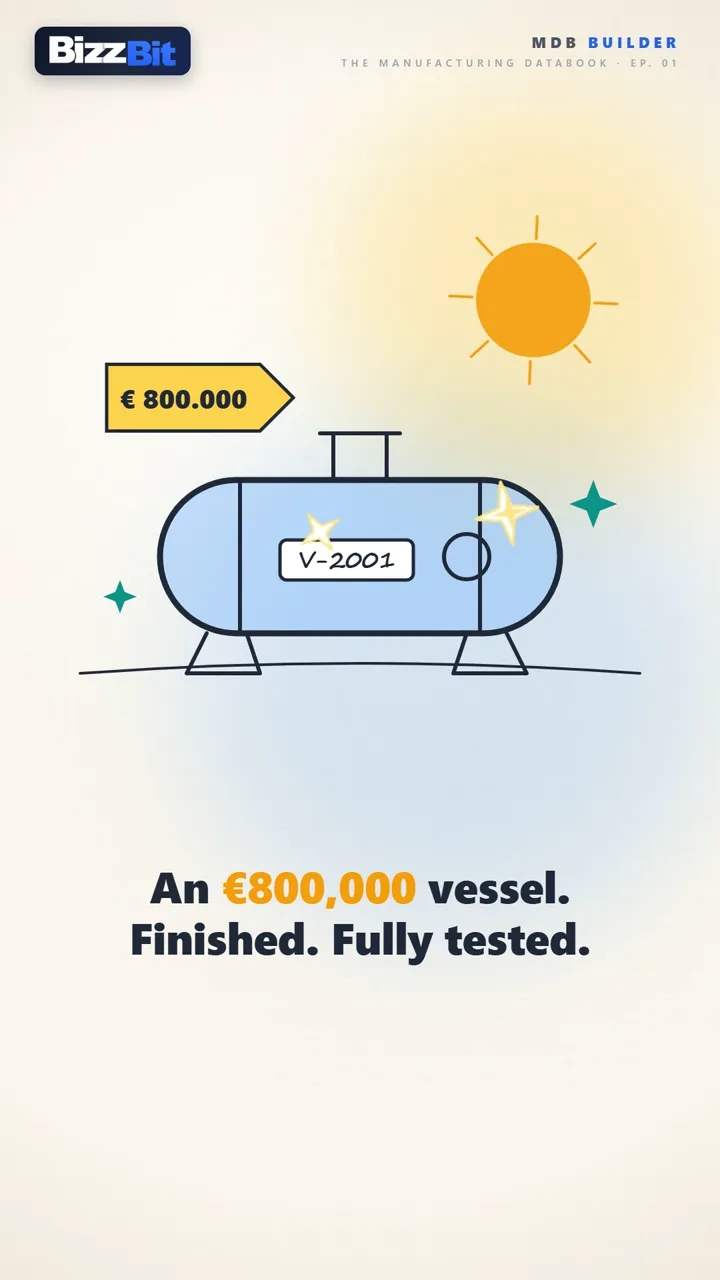
Still from EP 01 — The Manufacturing Databook: an €800,000 vessel, finished and fully testedEP 01 · 2:40

FILM-001 · EP 01 — SOUND ON · 2:40

FORM-001 · JOIN THE WAITLIST

FORM-001 · WAITLIST REGISTRATION

Be the first to try it — free.

Join the waitlist for early access. The first 50 sign-ups receive lifetime early-access pricing.

First 50 sign-ups · Lifetime early access

Start free with credits for roughly 3 projects and 15 MDBs. No credit card required.

SECTION 00 · TERMINOLOGY

One deliverable, every name.

Whether your industry calls it an MDB, MRB, Quality Dossier, or Vendor Data Book — the MDB Builder handles them all. Same deliverable, different terminology by sector and region.

Manufacturing Data Book (MDB)Manufacturing Record Book (MRB)Quality DossierVendor Data Book (VDB)As-Built DocumentationHandover DocumentationTechnical DossierFinal Documentation PackageInspection Record Book (IRB)Quality Data Package (QDP)

FIG. 01 · THE DELIVERABLE

This is what done
looks like.

Every project ends in the same deliverable: a stamped, bookmarked Manufacturing Data Book. The MDB Builder assembles it while you work — cover sheet, table of contents, chapter dividers, page numbers — so it is ready the moment the last document lands.

32 CHAPTERS · AUTO TOC · BOOKMARKS · APPROVED

SECTION 01 · THE PROBLEM

A familiar story for every QC-Manager and Document Controller.

Building a Manufacturing Data Book is technical work — but it's done with non-technical tools. Spreadsheets, scattered folders, manual page numbering, email chains. The cost isn't just hours; it's missed deadlines, lost revisions, and a deliverable that arrives late or incomplete.

PROBLEM · 01

Manual assembly

Still piecing together 1,000+ page MDBs in Excel and Word? Inserting bookmarks, renumbering pages, merging PDFs by hand — for every project.

PROBLEM · 02

Error-prone sharing

Sending drafts via WeTransfer and waiting weeks for redlines that come back as printed PDFs, scanned and emailed — losing context with every cycle.

PROBLEM · 03

No version control

Which folder has the latest revision? Which comments were resolved? Audit trails live in inboxes — and walk out the door when team members leave.

SECTION 02 · THE PLATFORM

Four steps.
From scope to signed.

One platform that replaces Excel trackers, folder structures, PDF mergers, WeTransfer and email review chains — purpose-built for fabrication and engineering quality documentation.

COVER DESIGNER
FIG. 02 · THE WORKSPACE — THE ACTUAL APP · COVER DESIGNER · CHAPTERS · DASHBOARD
STEP 01

Structure

A professional MDB structure in 3 minutes.

Pick your sector and applicable codes — ASME, PED, EN 1090, NORSOK. The MDB Builder generates a complete chapter structure with 32+ chapters across 8 categories. Code-driven, sector-specific, instant.

  • ASME · PED · EN 1090 · NORSOK · API · DNV
  • 32+ chapters · 8 standard categories
  • Editable per project, reusable across projects
STEP 02

Compile

Upload, organize, and merge into one PDF.

Drag and drop certificates, weld records, NDT reports and inspection sheets into the right sections. The platform assembles a professional PDF with cover page, automatic table of contents, page numbers and bookmarks — server-side.

  • Drag-and-drop document upload
  • Auto-generated TOC & PDF bookmarks
  • Transmittal generation included
STEP 03

Connect

Bring your suppliers into the project — without lock-in.

Invite suppliers to fill the chapters they own. They get a secure link and a free account — set up in seconds via SSO or e-mail verification, no subscription needed. They deliver, you monitor and approve in real time. When their suppliers also use MDB Builder, the project flows seamlessly through the entire chain.

  • Secure invitation link · no supplier account required
  • Real-time delivery monitoring & approval
  • Cross-tenant: every link in the chain stays in sync
STEP 04

Review

Let your client annotate and approve online.

Send a secure share link — the reviewer signs in with a free account, no subscription needed. They annotate, comment, and approve or reject directly in the browser. Industry-standard revision flow: IFR → IFA → Approved.

  • Secure share link · no reviewer login required
  • Inline annotations & comments
  • IFR → IFA → Approved revision workflow

PAGES FROM ACTUAL EXPORTS

Every book is styled to match your brand: the built-in cover designer lets you set your own logo, colors, imagery and layout — and that styling carries through the table of contents, chapter dividers and every generated page.

COVER · AUTO
COVER · CUSTOM
TABLE OF CONTENTS
CHAPTER DIVIDER
SUPPLIER DOC · ACCEPTED
FIG. 03 · THE OUTPUT — AUTO COVER · TOC · DIVIDERS · APPROVED SUPPLIER DOCS

SECTION 03 · THE DESK

Two screens.
One book.

Assembling an MDB is drag-and-drop work — so the builder behaves like your desktop. Open the source PDF in one window and the chapter in another, spread them across your monitors, and drag pages straight from one screen into the other. Rearrange chapters the same way. And when a certificate arrives by e-mail, drag it out of Outlook — or any Explorer folder — directly into the chapter where it belongs.

FIG. 04 · THE DESK — DRAG PAGES ACROSS SCREENS · REORDER CHAPTERS · DROP FILES FROM EXPLORER & OUTLOOK

DRAG PAGES ACROSS SCREENS

Open the source PDF in one window and your chapter in the other — side by side, or on your second monitor. Drag the pages you need straight across; they land exactly where you drop them.

REARRANGE EVERYTHING

Chapters and pages are never locked in place. Drag them into a new order whenever the project changes — numbering, table of contents and bookmarks follow automatically.

DROP FROM EXPLORER & OUTLOOK

A certificate arrives by e-mail? Drag the PDF straight out of Outlook — or from any Explorer folder — into the chapter it belongs to. No saving first, no upload dialogs.

SECTION 04 · THE CHAIN

Your suppliers deliver.
You stay in control.

Most of an MDB is not written by you — it arrives from forgers, welding subcontractors and NDT houses. Give each of them a secure link to exactly the sections they own. They upload; you see what landed, what is missing, and who is late — without chasing a single email.

FIG. 05 · DOCUMENT FLOW — SUPPLIERS → MDB BUILDER → CLIENT APPROVAL

SECTION 05 · SECURITY & TRUST

An MDB is evidence.
We guard it accordingly.

A data book carries years of certificates, signatures and approvals — and your client's trust with it. So instead of scattered copies on laptops and inboxes, everything lives in one protected environment: access-controlled, encrypted in transit, and with every action on record.

FIG. 06 · THE SECURITY MODEL — ONE PROTECTED ENVIRONMENT, NOT SCATTERED COPIES

BUILT TO GDPR STANDARDS

Wherever in the world you work from, your data is handled to the standards of the GDPR — one of the strictest privacy frameworks there is. Your documents stay yours: never sold, never shared beyond your project.

SIGN-IN YOUR IT ALREADY TRUSTS

No passwords invented for yet another tool. Sign in with the business account you already have — Microsoft Entra ID or Google Workspace (SSO) — or fall back on verified e-mail. And because teams are bound to their company's e-mail domain, documents can never drift outside the organisations they were shared with.

ENCRYPTED CONNECTIONS

Every upload, review and approval travels over encrypted connections (HTTPS) — between you, your suppliers and your client. Documents never move in the clear.

EVERY ACTION ON RECORD

Who uploaded, viewed, commented and approved — per document, per revision. Combined with the role model below, that's an audit trail you can stand behind years later.

Questions about security or data handling? Read the Privacy Policy or ask us directly at info@bizzbit.com — we'd rather answer twice than leave you guessing.

SECTION 06 · ROLES & PERMISSIONS · FROM PRO

Three roles.
Zero ambiguity.

From the Pro plan on, every workspace runs on role-based permissions. Admins appoint Project Managers; Project Managers appoint the MDB Managers of each book. Every role has clearly defined rights — and the content of the book belongs to exactly one of them.

ADMINPROJECT MANAGERMDB MANAGER
FIG. 07 · CHAIN OF COMMAND — WHO APPOINTS WHOM
ROLE 01

Admin

RUNS THE DEPARTMENT

Admins own the account: subscription, members and settings. They decide who leads which project — and how much room the other roles get.

  • Appoint & demote Project Managers
  • Manage members, billing & department settings
  • Configure the rights of the other roles
  • Fill or edit chapter content
    — reserved for MDB Managers
ROLE 02

Project Manager

APPOINTED BY AN ADMIN

Project Managers run day-to-day delivery: the team, the products and the set-up of every MDB in their project.

  • Manage the project team & products
  • Appoint the MDB Managers of every book
  • Share, release & export
  • Fill or edit chapter content
  • Appoint other Project Managers
ROLE 03

MDB Manager

APPOINTED BY A PROJECT MANAGEREXCLUSIVE RIGHTS

MDB Managers hold rights nobody else has — not the Project Manager, not even an Admin. The content of the book is theirs alone.

  • Build & fill the chapters — their exclusive right
  • Manage chapter inboxes & document status
  • Resolve review comments from clients & suppliers
  • Share, release & export — with the correct rights
  • Manage the project team
  • Change department settings

ADJUSTABLE BY THE ADMIN

Structure edits, supplier & customer sharing, releasing revisions and exporting can each be switched on or off per role — so the permission model follows how your team actually works.

EVERY TEAM MEMBER

Anyone on the team can always upload documents to chapter inboxes, view chapters, add comments and sign documents — no role required.

SECTION 07 · THE ROADMAP

Tool 01 of many.
We're just getting started.

The MDB Builder is the first tool we're releasing to help quality departments work smarter — but it won't stay alone. Major updates and expansions are in full development, and the first of them is expected next quarter.

PHASE 01

MDB Builder

GO-LIVE · 15 SEPTEMBER 2026

The end-to-end platform for Manufacturing Data Books — structure, compile, connect and approve. This is where it starts.

LAUNCHING
PHASE 02

Expansions

EXPECTED · NEXT QUARTER

New tools that extend the platform beyond data books — built to help you manage quality across your entire department. Development is in full swing.

IN DEVELOPMENT
PHASE 03

The reveal

ANNOUNCEMENT · BEFORE THE YEAR IS OUT

We'll unveil exactly what's coming as we get closer to its launch — expect the next announcement before the end of this year. Join the waitlist and you'll be the first to hear it.

TO BE REVEALED

We keep innovating. Fast.

SECTION 08 · FAQ

Frequently asked questions.

LAUNCHING 15 SEPTEMBER 2026

The MDB Builder launches on 15 September 2026.

Ready to stop wasting time on MDBs?

Join the waitlist today. Be among the first to experience the future of quality documentation — and lock in lifetime early-access pricing.

First 50 sign-ups · Lifetime early access

HELP SPREAD THE WORD

Know someone struggling with Manufacturing Data Books? Help them find this.