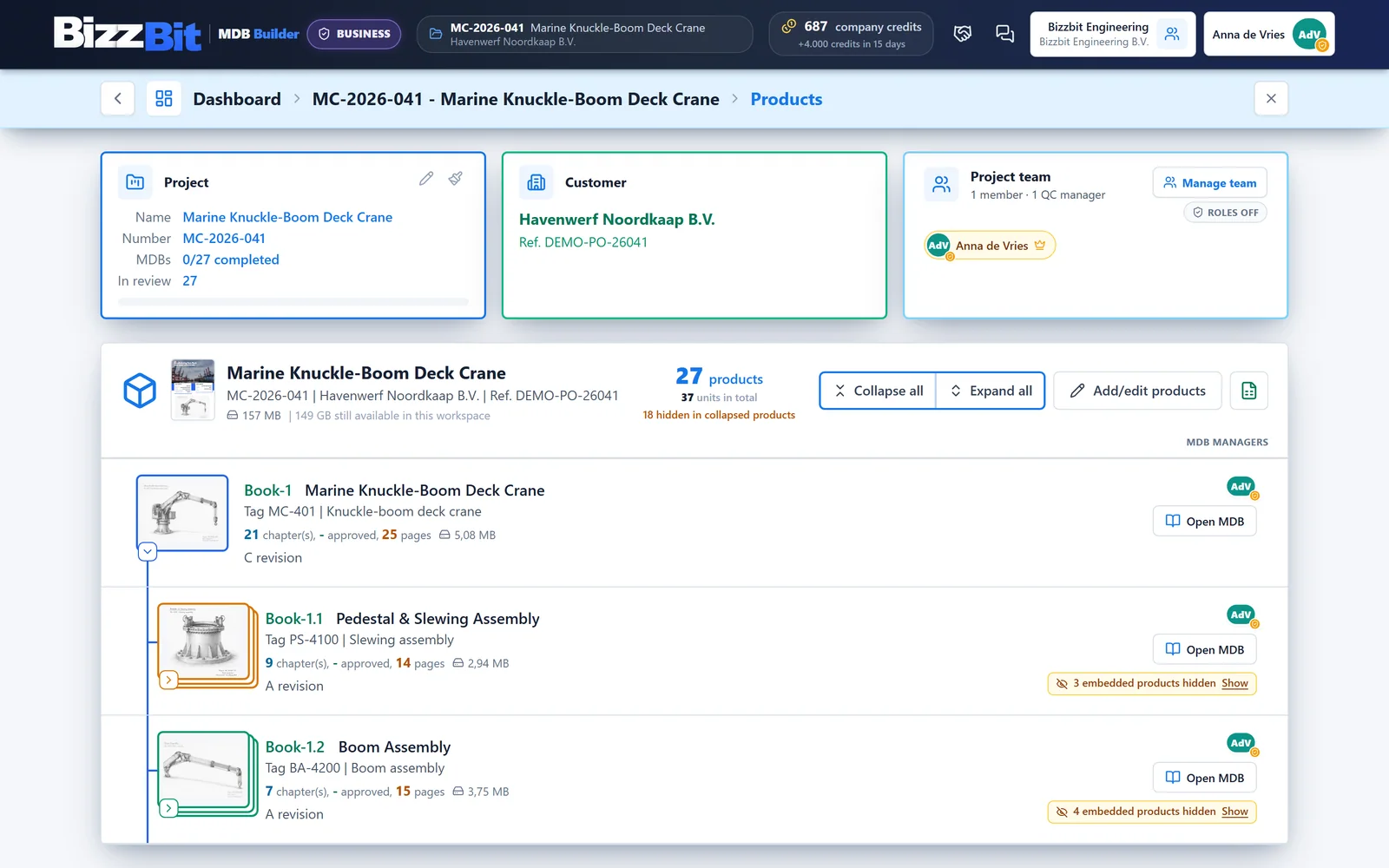
MDB Builder follows the way a fabrication order is delivered: a project for a customer contains products, every product gets its own Manufacturing Data Book (MDB), and every MDB is divided into chapters that hold the documents.
Company workspace
└── Project        26.0611  Giant Wheel
    ├── Product    Main structure        →  its own MDB
    │   ├── Chapter 1  Drawings              (Approved document)
    │   ├── Chapter 2  Material certificates (Production records)
    │   └── Chapter 3  Drive unit            (embedded MDB)
    └── Product    Passenger gondola     →  its own MDB
Workspaces and companies#
Everyone starts in a private workspace. On your own you can do everything there: create projects, build MDBs and share them with customers.
To work with colleagues, you create a company. The company is a shared workspace: projects created there are visible to its members. Whoever creates the company invites the rest. In a free company all members are equal; a company on the Pro plan also has admins. See Create a company. Your private workspace stays separate.
A company can be split into departments, for example one per site or business unit. Each department has its own members.
Projects#
A project holds the work for one customer order. It has a project number (unique, and used in documents and exports), a project name, and optionally a customer and further details such as the customer's PO number or the site.
Products and their MDB#
A project contains one or more products, and every product gets its own MDB with its own chapters, checks and customer shares. Besides its name, a product can have a tag number, a type, an MDB document number and further details, which appear on the cover and in the index of its MDB.
Units#
When you deliver the same product more than once, you don't create it twelve times. Turn on Deliver in multiple units and set the number of units. MDB Builder numbers them for you (1, 2, 3, or 01, A, a, or your own numbers) and shows the unit on the sheets as, for example, RS-01 of 12.
Within such a product, a chapter is either common (one document that applies to all units, such as a drawing) or per unit (a separate document for each unit, such as a pressure test report).
Book numbers#
Every MDB has a book number that follows from its place in the product tree: Book-1 for the first product, Book-1.2 for an MDB embedded in it, and Book-1.2#3 for unit 3 of that product. The number changes automatically when you reorder the tree.
Chapters#
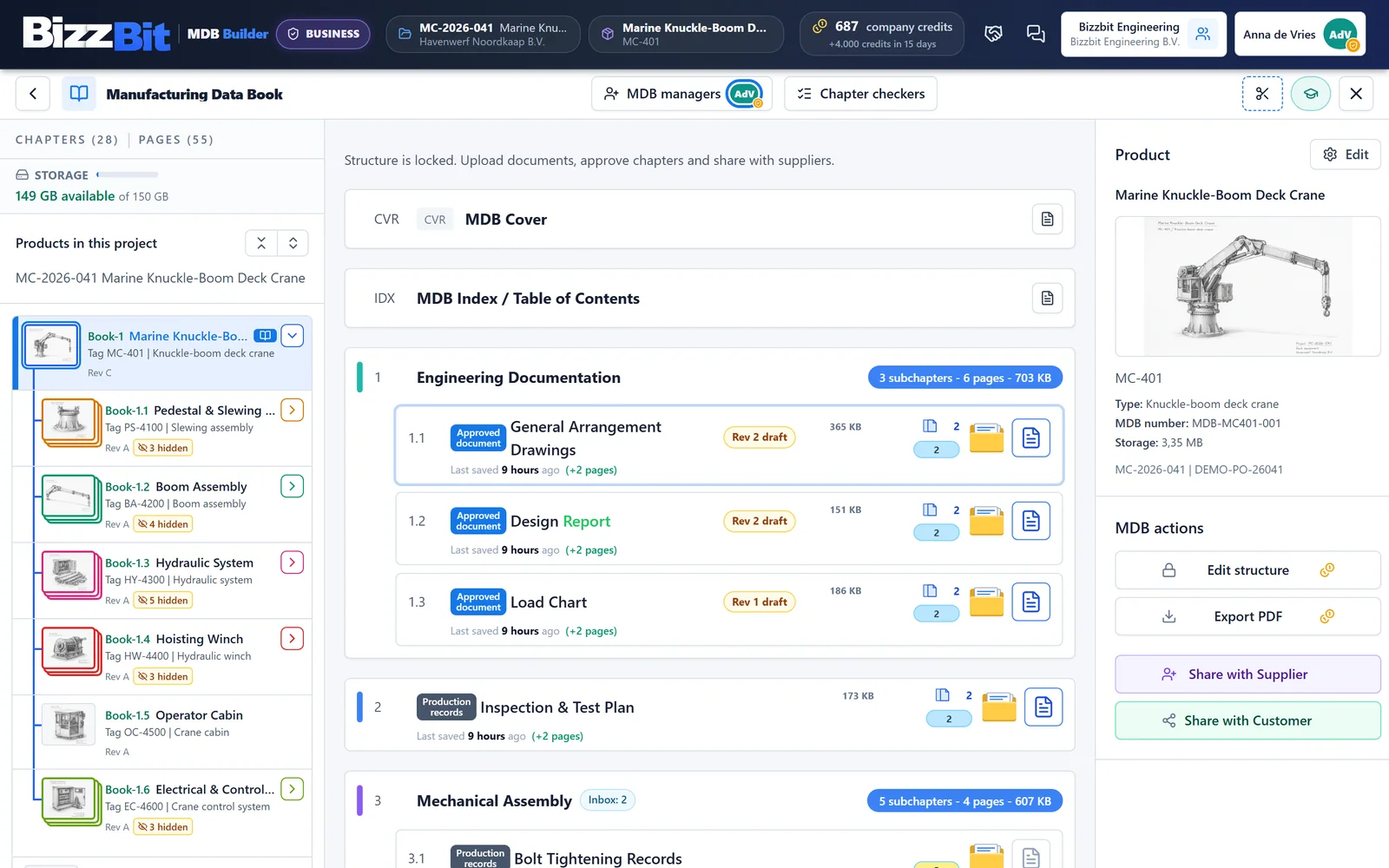
The chapters of an MDB form its index. Chapters are numbered 1, 2, 3 or A, B, C, and subchapters follow as C.1, C.2. Optionally, each chapter carries a short document code of up to five characters, shown in the table of contents.
Each chapter is one of two kinds:
| Approved document | Production records | |
|---|---|---|
| Holds | One approved PDF | Any number of files |
| Typical content | Drawings, procedures, calculations | Certificates, test and inspection reports |
| New version | Replaces the whole document, with its own revision | Add, reorder or replace pages |
| Internal checks | No | Yes |
Production records is the default. Chapters with subchapters and embedded MDBs always hold production records.
Embedded products#
Large equipment is often built from sub-assemblies that each need their own data book. An embedded product gets its own MDB, which is linked into the parent MDB as an EMB chapter. In the parent's index the embedded product appears with an Embedded MDB tag, and it keeps its own book number: it is exported as a data book of its own. Add one with Add embedded product.
Who does what#
In a company, members are either Admin or Member. Admins manage members, departments, settings, credits and billing.
In a project, work is open to everyone in the company by default. On the Pro plan, turn on Project roles to divide the work:
- QC managers run the project.
- MDB managers fill the MDBs they are assigned to.
Chapter checkers are assigned per chapter. They do the internal check of a completed chapter before it is released to the customer.
Credits and the Pro plan#
MDB Builder works with credits. Credits are used when you save new chapters in a structure (the price depends on the chapter kind), export an MDB, use AI features such as structure generation from an ITP or product sketches, and for storage. The cost is always shown before you confirm.
Signing up is free, and your first MDB is on us. A company on a Pro plan gets monthly credits, more members, and admin roles.